Live Streaming Your Las Vegas Event: What to Prepare Before the Video Team Arrives
A practical guide for event hosts and businesses explaining the internet, camera, audio, lighting, run-of-show and logistics to have ready so a mobile video crew can deliver a smooth live stream from hotels, offices, or event spaces around Las Vegas.

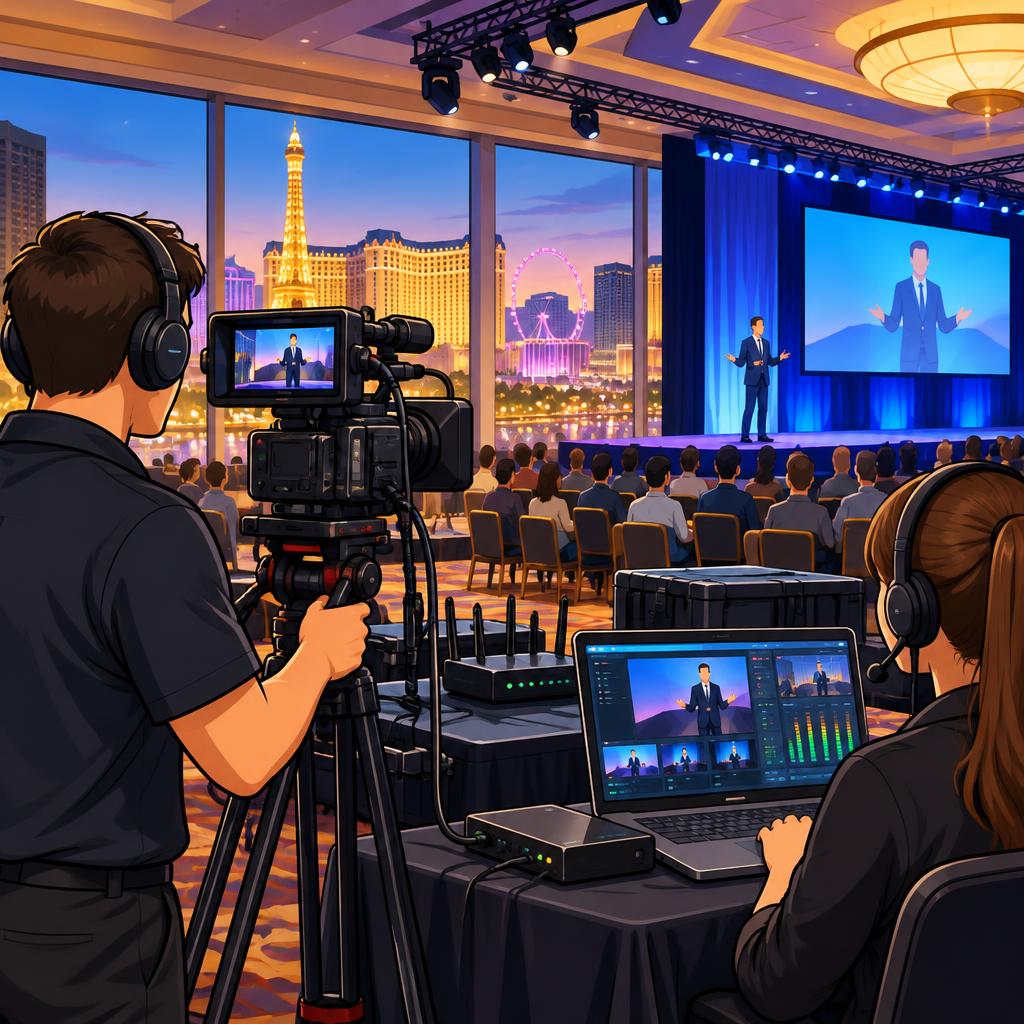
Why good prep matters
Live streaming turns a local event into a global one, but it also magnifies small problems: flaky internet, poor audio, or missing power can derail a broadcast. Preparing the basics ahead of time gives the mobile crew room to focus on composition, storytelling, and capturing the moments that matter. From my experience bringing a portable studio to hotel ballrooms and offices across Las Vegas, a little coordination up front means fewer surprises and a better final product for your audience.
Internet and network essentials
Reliable upload and a dedicated connection are the backbone of any live stream. Whenever possible arrange for a wired Ethernet drop to the streaming location and let the venue know the stream will be using significant bandwidth. If wired access isn’t available, make sure there’s a strong, private Wi‑Fi network and provide the crew with network credentials in advance. Mobile hotspots can work as a backup; designate one person to manage them and confirm that multiple devices won’t be fighting for the same signal during the event.
Choosing camera positions
Think about sightlines and storytelling rather than just placing cameras at the back. A primary camera should have an unobstructed view of the main stage or speaker; a secondary camera can capture audience reactions, wide venue shots, or cutaways. Leave clear walk paths for the crew and mark any equipment positions you want kept clear. If you plan to include closeups, set aside space near the front where a camera can safely operate without blocking attendees or emergency exits.
Audio: the most important element
Viewers tolerate imperfect video longer than they tolerate poor audio. Confirm how presenters will be miked: lavalier mics for speakers, a handheld for Q&A, or a direct feed from the venue’s mixing console. Provide the crew with access to the house audio tech before the event so microphone levels can be tested. If you expect background noise—lobbies, HVAC, or nearby construction—discuss options like directional mics or a quieter nearby room for sensitive interviews.
Lighting and backgrounds
Good lighting makes the difference between a flat image and a cinematic one. Identify the main light sources at your venue: windows, overhead fluorescents, or stage lights. Wherever possible, avoid harsh backlighting behind speakers and give the crew a few minutes to shape light with portable fixtures. If you’re planning interviews or on-camera segments, consider using a neutral area or our green screen setup to control the background and keep viewers focused on the message.
Run-of-show and cue planning
A clear, written run-of-show is indispensable. Provide the crew with a timeline including speaker names, titles, planned camera moves, cue points for video inserts, and any moments requiring lower-thirds or graphics. Note transitions like breaks, awards, or panel discussions so the director can prepare camera angles and switcher layouts. Share the run-of-show at least 48 hours before the event and bring printed copies for the stage manager and tech lead.
Tech rehearsal and on-site checks
Schedule a brief tech run-through, even if it’s just 20–30 minutes, to test cameras, audio feeds, lighting, and streaming credentials. Run a full connectivity test with the intended streaming platform and confirm login details and destination URLs. During the rehearsal, run through any prerecorded media, title graphics, and the transitions between segments so the team can rehearse timing and troubleshoot potential problems before guests arrive.
Backups and contingency plans
Plan for redundancy: have a spare microphone, extra batteries, alternate camera batteries or cards, and a secondary internet option. Designate a point person at the venue who can quickly resolve access issues with the front desk or IT. Identify nearby power outlets and extension cords, and keep critical equipment off the main guest pathways. A modest backup plan reduces stress and keeps the show moving if something goes sideways.
How Ace Photo & Video fits in
As a mobile studio that serves Las Vegas hotels, offices, and event spaces, we come prepared to integrate with your venue’s systems and your team. We offer on-location video capture, green screen options, live switching, and post-production services—plus a history of quick turnarounds for training and promotional videos. A past client who booked us for a training shoot appreciated our professionalism and fast delivery, which is the result of planning ahead and keeping the technical side tight so the content shines.
A simple checklist to share with your venue and team
Before the crew arrives, confirm these items: a primary network connection with credentials, a dedicated on-site contact, the run-of-show and speaker list, preferred camera locations mapped out, audio access (mics and console access), adequate power and extension cords, a quiet space for interviews, and permission for any required signage or lighting adjustments. Sharing this checklist with the venue and your event producer will save time on setup and keep your live stream professional and stress-free.
Final thoughts and next steps
Live streaming is a collaboration between your event team, the venue, and the video crew. The more details you share in advance—the run-of-show, technical constraints, and the moments you care most about—the better the broadcast will feel. If you’d like help tailoring a technical plan for a Las Vegas venue or want to schedule a brief tech call before the event, reach out and we’ll walk through the specifics together. I aim to make the process calm, creative, and dependable so your message reaches viewers exactly as you intend.
Customer review


Article by
Ace Photo and Video
Based in Las Vegas since 2005, Ace Photo & Video is a mobile photography and video production studio specializing in on-location service. We bring the studio to your office, home, or hotel, providing a convenient way to produce high-quality digital media. Our team of experienced photographers and videographers is dedicated to helping businesses create compelling content to enhance their online presence and attract new clients. We produce a wide range of content, from professional headshots and commercial photography to social media videos and promotional films. Green Screen Photography & Video.